From 1 December 2026 the GGPoker client will scan for PokerTracker 4, Holdem Manager 3, Hand2Note, Jurojin and any other third-party poker tool running alongside it, and warn the account that has one open. That leaves the weeks before then to rebuild a setup that leaned on them.
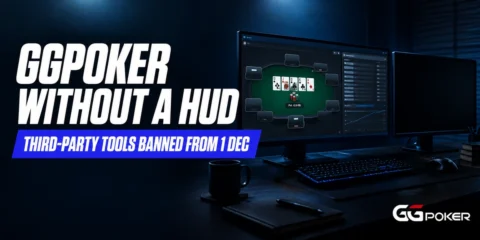
GGPoker announced the ban on 15 October and fixed the date in a second statement on 19 October that also promised replacement features. Where GGPoker’s 15 October software ban in full covers the announcement, the questions since are practical: what still works, what is coming, what has no replacement.
The reaction has outrun the change for one group. An external HUD never worked on GGPoker, so a single-room player who never ran a tracker alongside it loses a settings line, not a setup. Those who lose most grind GGPoker beside a tracked room or lean on a table manager.
What GGPoker Takes Away on 1 December
Five Named Tools and a Catch-All
GGPoker’s 15 October post names PokerTracker 4, Holdem Manager 3, Hand2Note, Jurojin and StarsCaption, then adds a line covering any other third-party poker software or automation tool. The reason given is that anything running alongside the client may read game data, interact with tables or automate actions on the computer.
The incident behind the rule is the Mesh Agent malware that started this, which reached high-stakes players through tampered updates to Jurojin and a second tool. GGPoker’s response covers the whole category, not only the tool that was compromised.
Three Dates, Not One
The policy moved twice in one October week, and the dates are easy to run together. The announcement, the enforcement date and the feature rollout are separate things, and only one of them is fixed.
| Date | What happens | Status |
|---|---|---|
| 15 October 2026 | Ban announced, four client security tools, Win-Rate Anomaly Detection, 2027 OS cut-off | Published |
| 19 October 2026 | Enforcement date set, native multi-tabling features announced, developer exemption route | Published |
| After 19 October, no date given | Phased rollout of table swapping, layout locking, focus management | Announced |
| 1 December 2026 | Active detection and in-client Warning System switch on | Announced |
| 2027, no date given | Windows 7, 8, 8.1 and macOS 11 or earlier lose support | Announced |
What Never Worked on GGPoker in the First Place
GGPoker has never permitted an external HUD. The room’s own Smart HUD was the only overlay allowed, so PokerTracker 4 or Holdem Manager 3 was never showing opponent stats on a GGPoker table.

What GGPoker said it used to permit were tools that did not affect gameplay: trackers and table managers running on the same machine, in practice for another room. That is the use the ban ends.
The one tracker job that involved GGPoker hands was off-table review. PokerCraft exports a player’s own hands with opponents anonymised, and what PokerTracker 4 does off the table starts with that import. Whether that import counts as restricted use under the new policy is not answered in either statement.
What the GGPoker Client Already Gives You
Three pieces of the client cover more of a tracker’s job than the reaction suggests. None of them is a database of your opponents, and that is the limit to keep in mind.
Smart HUD
Smart HUD attaches to every opponent at your table and shows frequencies such as VPIP, PFR and 3-bet, with c-bet, fold-to-c-bet and showdown numbers behind them. It builds those numbers only from hands you have seen that player play, so a new opponent starts at zero.
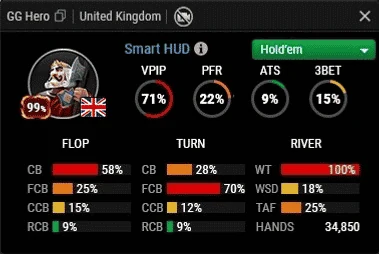
That is the difference from a tracker. A tracker would have had thousands of hands on a regular before you sat down; Smart HUD has the hands you have witnessed this session.
PokerCraft and Notes
PokerCraft holds your own results, session graphs, a hand replayer and the hand export described above. Player notes are written there too, and show when you hover an opponent’s Smart HUD icon at the table.
The Client Security Section
The same update added a Client Security section in Game Settings with four opt-in tools that run only while the client is open. GGPoker’s caveat is that they protect the session, not the whole computer.
- Covered: in-session opponent frequencies through Smart HUD, and your own results and notes through PokerCraft.
- Covered: screen privacy and connection checks through Screen Guard, Connection Monitor, Process Check and DNS Check.
- Not covered: a lifetime database of opponents. No GGPoker tool builds one, and no permitted outside tool ever did.
- Not covered by any announcement: custom hotkey scripts. The three features GGPoker has named are layout tools, not a hotkey layer.
What GGPoker Says Is Coming
GGPoker’s 19 October statement names three additions to the native client: table swapping, layout locking and focus management. It describes them as the multi-tabling features the community asked for most, arriving in a phased rollout with no feature-by-feature dates.
The same statement sets out the Warning System. From 1 December the client runs active detection for restricted tools and warns the player in-client, and what happens after a warning is not in the text.
There is also a route out for developers. A tool comes off GGPoker’s detection list only when its maker removes GG Network compatibility entirely, which for Jurojin would mean dropping a room it currently supports.
Jurojin answered the 15 October post the same day, drawing a line between “addressing security threats” and treating the whole ecosystem of third-party software “as the threat itself”. – Jurojin Poker, X, 15 October 2026
| Tool | What it did on GGPoker | From 1 December | Client replacement |
|---|---|---|---|
| Jurojin, StarsCaption | Table layout, hotkeys, bet presets | Detected, warned | Table swapping, layout locking, focus management (phased) |
| PokerTracker 4, Holdem Manager 3, Hand2Note (live HUD) | Never worked on GG tables | Unchanged | Smart HUD |
| PokerTracker 4, Holdem Manager 3, Hand2Note (off-table review) | Import of PokerCraft hand exports | Unanswered | PokerCraft replayer and stats |
| Hotkey and automation scripts (our reading of the catch-all) | Fold, call, raise, sizing shortcuts | Detected, warned | Not announced |
The Real Loss: Multi-Room Grinders & Hotkey Users
Running GGPoker Beside a Tracked Room
A common arrangement is a tracked PokerStars or ACR Poker session on one screen and GGPoker on the other. Once enforcement starts, that tracker is restricted while the GGPoker client runs.
The options are blunt: GGPoker alone in its own session, or the tracked room on a second computer. If the split is not worth it, rooms that still allow HUDs and trackers are listed.
Hotkeys and Automation Scripts
One player replying to GGPoker’s announcement on X on 16 October said he would not play a room where his tracker and table manager cannot run. The layout features answer the table manager half; the hotkey half has no answer yet.
Hotkey scripts are not named in GGPoker’s list, but on our reading the automation-tools catch-all covers a fold, call or sizing script.
How to Rebuild Your Setup Before 1 December
Take these in order.
- 1. List what opens with a session. Trackers, table managers, hotkey scripts and overlay tools all count, and from 1 December the client’s detection will see them.
- 2. Decide the split now. Either GGPoker runs alone in its own session, or the tracked room moves to a second machine.
- 3. Test the Client Security tools before December. Screen Guard keeps your tables out of screen-sharing apps, so a streamer or a coaching student needs to know that before a session, not during one.
- 4. Set up notes and tags now. A note written in PokerCraft is the only opponent read that survives between sessions.
- 5. Cut your table count and work back up. Our guide to how many tables to play puts the drop at roughly a quarter for rooms without a HUD, and the number is yours to test.
- 6. Move study off the table. Review hands with the client closed, and watch for GGPoker’s answer on whether exported hands can still go into a tracker.
Playing GGPoker Without a HUD: The Session Adjustments
Without a database the reads come from the table again, which is how everyone on GGPoker has played all along, since no external HUD was ever allowed. Three habits replace most of what a HUD did.
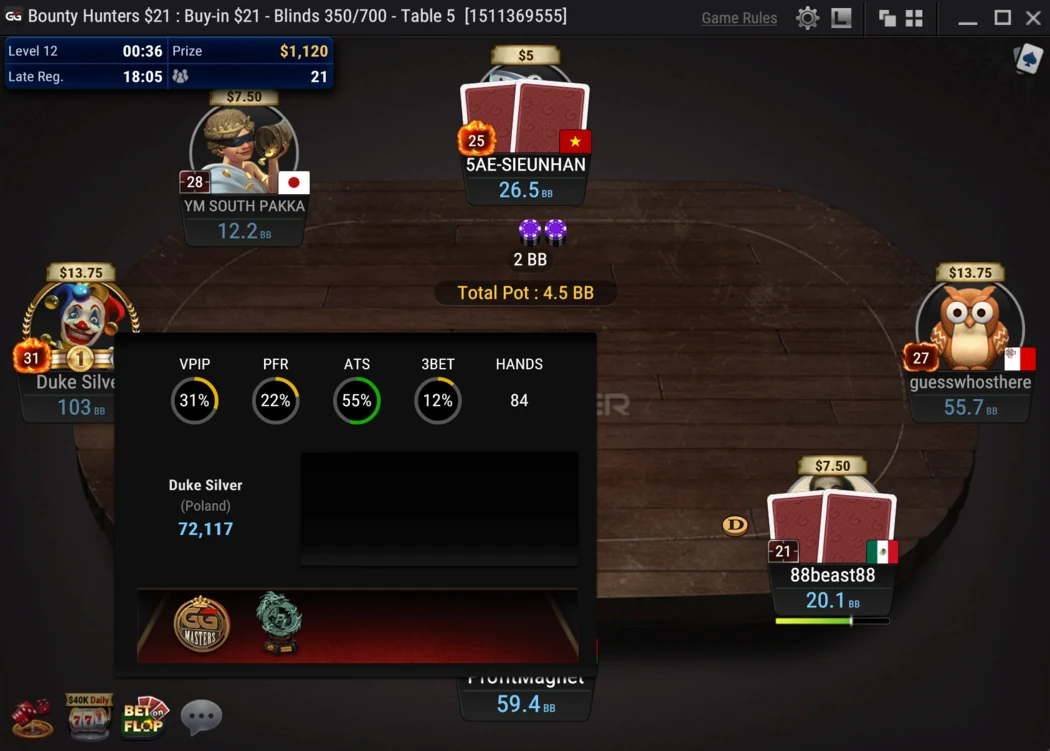
Watch showdowns and sizing. A player who limps, calls three streets and shows a middle pair has told you more in one hand than a 200-hand VPIP would, and how to compare player pools across rooms applies the same observation to the lobby before you sit.
Write one line per opponent worth remembering, and tag them. The habit costs seconds per hand and pays in the next session.
- Pre-flop: who open-limps and who 3-bets light.
- Sizing: who bets small with value and big with air, or the reverse.
- Showdown: every hand shown down, written as the line taken, not the cards.
- Timing: instant calls and long tanks, which no HUD stat captures.
Not in either statement: the penalty after a warning, whether a tracker importing PokerCraft exports with the client closed is restricted use, any response from PokerTracker, Holdem Manager or Hand2Note, and dates for the three native features.
The first native feature is the next date that matters, and 1 December is the one that is fixed. Both will be covered as they land in our online poker news page.
Der Beitrag Playing GGPoker Without a HUD: How to Adjust by 1 December erschien zuerst auf VIP-Grinders.
About The Author